
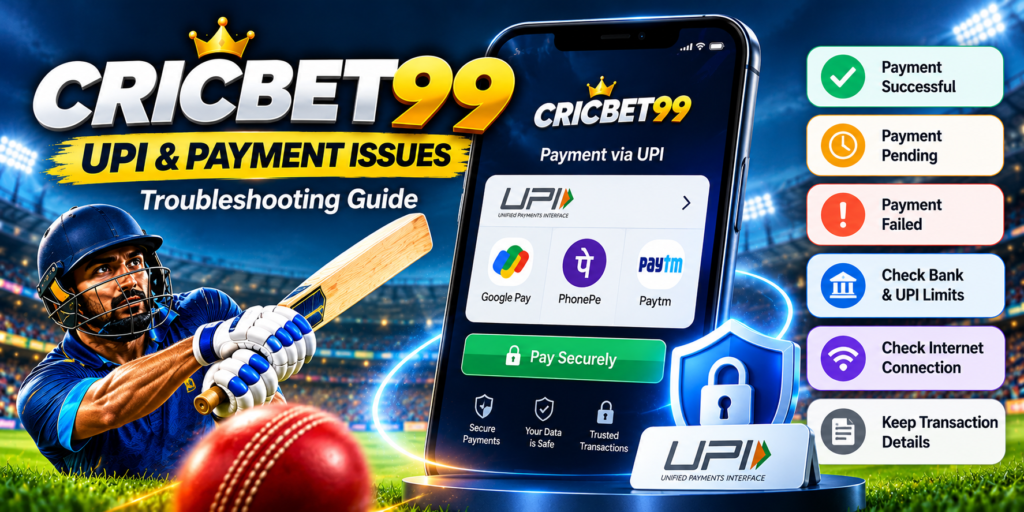
Here is the polished, SEO-friendly article with approximately 600 words, including the meta title, meta description, focus keywords, troubleshooting steps, and FAQs.
Focus keyword: Cricbet99 UPI
Secondary keywords: Cricbet99 payment issues, UPI payment failed, pending UPI transaction, payment troubleshooting, UPI payment safety
Meta title: Cricbet99 UPI & Payment Issues: Troubleshooting Guide
Meta description: Learn about Cricbet99 UPI and payment issues, including failed or pending transactions, transaction status checks, payment safety, and secure troubleshooting steps.
Cricbet99 UPI & Payment Issues: Troubleshooting Guide
Online payments can occasionally experience delays, failed transactions, verification errors, or unexpected status messages. If you are searching for information about Cricbet99 UPI or payment issues, it is important to troubleshoot carefully and protect your financial information throughout the process.
Payment problems can result from incorrect details, bank-side delays, UPI service interruptions, transaction limits, connectivity problems, or temporary technical errors. The exact cause depends on the payment method and the status displayed by the relevant service.
Common UPI Payment Problems
A UPI transaction may fail even when the bank account is active. Temporary issues with bank servers, payment applications, or internet connectivity can interrupt transactions.
Before attempting another payment, check your UPI application and bank account statement. If the transaction is pending, avoid immediately repeating it because the original payment may still be processed.
1. Check Your Internet Connection
A stable internet connection is necessary for most digital payment applications. An unstable connection can interrupt payment requests or prevent the application from displaying the latest status.
Check whether other websites or applications are working normally. Once your connection is stable, review your transaction history before taking further action.
2. Check the Transaction Status
Digital payment applications generally display statuses such as:
- Successful: The payment has been processed.
- Pending: The transaction has not reached a confirmed final status.
- Failed: The payment was not completed successfully.
- Reversed or Refunded: The amount has been returned or a reversal has been recorded.
The exact terminology varies between banks and payment providers.
If money has been debited but the receiving service does not show the expected status, keep the transaction reference number and contact the appropriate official support channel.
3. Check Bank and UPI Limits
Banks and payment providers may impose transaction-level or daily limits. A transaction may fail if it exceeds an applicable limit or if additional verification is required.
Check your bank’s current rules and the error message displayed in your payment application. Never attempt to bypass payment restrictions through unofficial methods.
4. Avoid Repeated Payment Attempts
A pending transaction may still be processed even when the payment application has not updated its status.
Making another payment before confirming the original transaction could result in duplicate payments. Check your transaction history and bank statement before retrying.
5. Keep Transaction Details
If you need to report a payment problem, keep the transaction date, amount, reference number, and status displayed by your bank or UPI application.
Share only the information required through a verified support channel. Never disclose your UPI PIN, banking password, card PIN, CVV, or OTP to anyone claiming to resolve a payment issue.
6. Verify Payment Requests Carefully
Before approving a UPI request, check the recipient’s details and the amount displayed in your payment application.
Do not approve an unexpected collect request simply because someone claims it is necessary to receive money or resolve an account problem. A UPI PIN is generally used to authorize a payment and should never be disclosed to another person.
7. What If Money Is Debited but the Status Is Unclear?
First, review the transaction history and bank statement. Keep the reference number and check for any updated status or reversal.
If the issue remains unresolved, contact your bank or payment provider through its official support channel. Follow the provider’s instructions regarding complaint registration and applicable resolution timelines.
Avoid unofficial agents promising instant refunds in exchange for sensitive information.
Frequently Asked Questions
1. Why can a Cricbet99 UPI payment fail?
Possible causes include connectivity problems, bank-server interruptions, transaction limits, incorrect details, or temporary technical errors.
2. What should I do if my UPI payment is pending?
Check your bank and payment application history. Avoid repeating the payment until the original transaction’s status is clear.
3. What if money is debited but the payment is not showing?
Keep the transaction reference number, check the bank statement, and contact the relevant official support channel if necessary.
4. Should I share my UPI PIN with support?
No. Your UPI PIN is confidential and should never be shared with support representatives or other individuals.
5. Can I share an OTP to resolve a payment issue?
No. OTPs are authentication codes and must remain private.
6. How can I avoid duplicate payments?
Confirm the status of the original transaction before attempting another payment.
7. What information is needed for a payment complaint?
Keep the transaction date, amount, reference number, and payment status. Provide only the necessary details through verified channels.
8. What should I do about an unfamiliar UPI request?
Do not approve it until you have independently verified the recipient and the purpose of the request.