
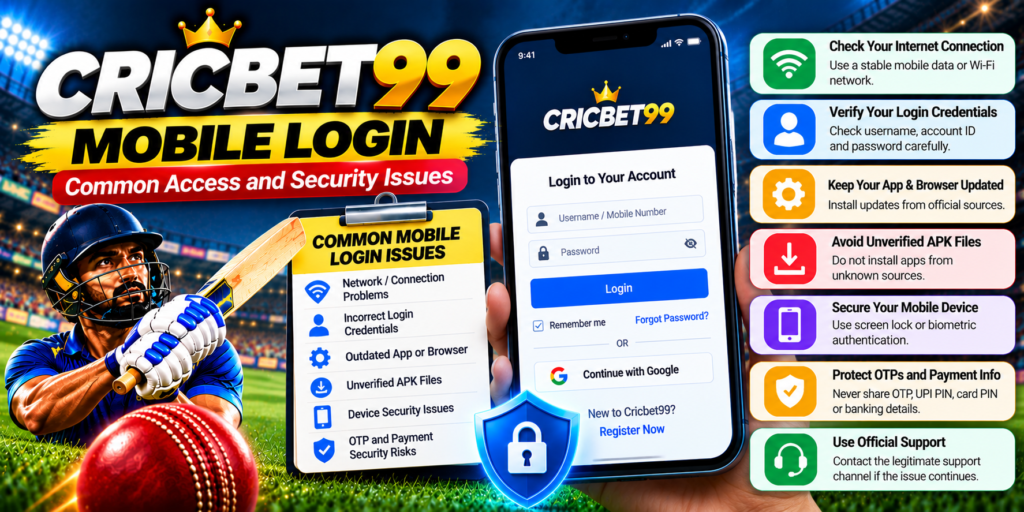
Mobile devices make accessing online accounts convenient, but login problems can occur because of unstable internet connections, incorrect credentials, outdated browsers, or device security settings. Understanding these common issues can help users troubleshoot access problems while protecting their personal information.
If you are experiencing Cricbet99 mobile login issues, start with basic troubleshooting steps. Avoid unofficial applications, suspicious links, and anyone asking for your password or verification codes.
1. Check Your Mobile Internet Connection
A reliable internet connection is necessary for most online login processes. If the login page does not load or keeps displaying an error, check whether other websites and applications are working properly.
Try switching between mobile data and a trusted Wi-Fi network to identify a possible connectivity issue. If your connection is unstable, move to an area with better network coverage and try again.
2. Verify Your Login Credentials
Incorrect login information is another common reason for access problems. Carefully check your username, account ID, and password before submitting the form.
Pay attention to uppercase and lowercase letters, spelling, and accidental spaces. Avoid repeated login attempts if you are unsure about your password, as some services may temporarily restrict access after multiple unsuccessful attempts.
If you have forgotten your password, use the legitimate account-recovery process. Never share your credentials with an unknown person offering to restore access.
3. Update Your Mobile Browser and Software
An outdated browser or operating system may cause compatibility problems when loading websites or completing authentication steps.
Check for available updates through your device’s official settings or your browser’s official app store listing. Restart your device after installing important updates if necessary.
Using an updated browser can also improve protection against certain security threats. Avoid installing software updates from unfamiliar websites or unexpected pop-ups.
4. Avoid Unverified APK Files
Android users may come across APK files promoted as alternative applications for mobile access. However, applications downloaded from unverified sources can contain malicious software or request unnecessary permissions.
Do not install an APK simply because a website promises faster login, exclusive features, or fewer errors. Verify the application’s publisher and legitimacy before downloading anything.
If you have already installed a suspicious application, consider removing it, reviewing its permissions, and running your device’s built-in security checks.
5. Improve Your Mobile Device Security
Protecting your phone is an important part of keeping online accounts secure. Use a strong screen lock, PIN, or biometric authentication where available.
Avoid leaving your device unlocked around other people, particularly when you are signed in to an account. Do not store passwords in unsecured notes, screenshots, or ordinary messaging conversations.
For better password security, consider using a reputable password manager and creating a unique password for each account.
6. Protect OTPs and Payment Information
One-time passwords (OTPs) and financial authentication details should remain confidential. Never disclose an OTP, UPI PIN, card PIN, CVV, or banking password to an unknown person claiming to provide login assistance.
Be cautious of unexpected verification requests, suspicious messages, and links asking you to confirm sensitive information. If you suspect unauthorized activity, secure your account through the legitimate security process and contact the relevant service provider through a verified channel.
For payment-related concerns, check the transaction directly through your bank or official payment application.
7. Troubleshoot Persistent Mobile Login Errors
If the login page continues to show an error, try these general troubleshooting steps:
- Refresh the page and check your internet connection.
- Update your mobile browser.
- Clear the browser’s cached data if necessary.
- Close and reopen the browser.
- Restart your device.
- Check whether the problem occurs on other websites.
Before clearing browser data, remember that this may sign you out of websites or remove saved preferences. If the problem continues, use a verified support channel rather than relying on unofficial agents or third-party applications.
Frequently Asked Questions
1. Why is Cricbet99 mobile login not working?
Possible causes include an unstable internet connection, incorrect credentials, browser compatibility problems, outdated software, or temporary access restrictions.
2. Is it safe to install an APK from an unknown website?
No. Unverified APK files may expose your device and personal information to security risks. Only install applications from trusted, verified sources.
3. Can mobile data problems affect login?
Yes. A weak or interrupted connection can prevent a login page from loading or interrupt the authentication process.
4. Should I save my password on my phone?
Use a reputable password manager or a trusted built-in password-management feature. Avoid storing passwords in unsecured notes, screenshots, or messages.
5. What should I do if I forget my password?
Use the legitimate account-recovery process, if available. Do not share your credentials with strangers offering account-recovery services.
6. Should I share an OTP with someone claiming to be support?
No. Keep OTPs and other authentication codes confidential. Never disclose them to an unknown person.
7. How can I improve mobile account security?
Keep your device and browser updated, use a strong screen lock, create unique passwords, avoid unverified applications, and protect all verification codes.
8. What if the mobile website continues to show an error?
Check your connection, update your browser, clear relevant cached data if needed, and try again. If the error persists, consult a verified support channel.