
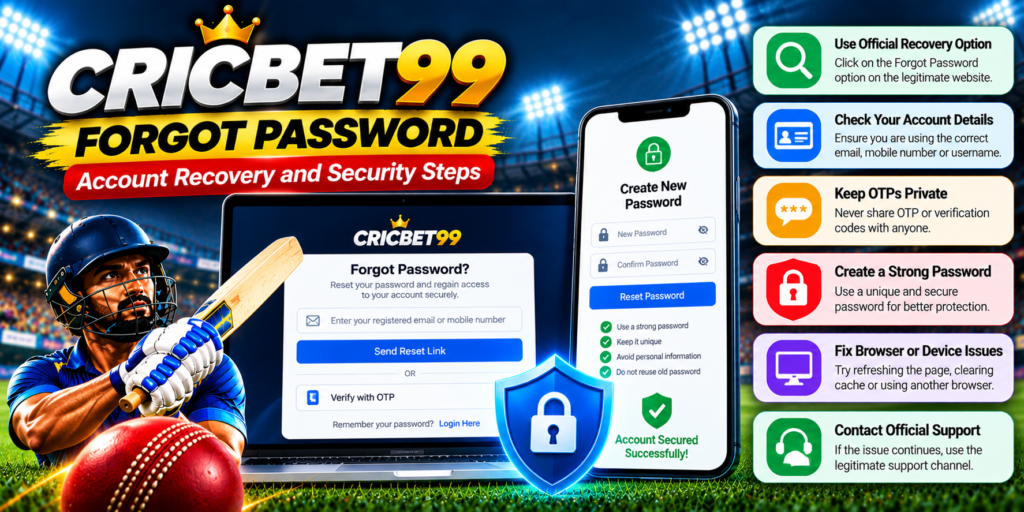
Forgetting a password is a common online account problem. Most online platforms provide account-recovery options that help users regain access without sharing confidential credentials with another person. If you are searching for Cricbet99 forgot password information, understanding general recovery procedures can help you troubleshoot the issue while protecting your personal information.
For general account-related information, visit the Cricbet99 website. Always verify that you are using the legitimate website before entering login credentials or personal details.
Start With the Official Password Recovery Option
If you cannot remember your password, look for a Forgot Password, Reset Password, or account-recovery option on the legitimate login page.
Depending on the service’s current procedures, recovery may involve a registered email address, mobile number, account identifier, or verification code. Follow the instructions displayed by the service rather than clicking recovery links sent by unknown individuals.
Avoid entering your account details on unfamiliar websites that imitate legitimate login pages.
Check Your Account Details
Before beginning the recovery process, confirm that you are using the correct account identifier. Users sometimes have multiple email addresses, phone numbers, or usernames and accidentally attempt to recover the wrong account.
Check the following:
- Make sure your username or account ID is entered correctly.
- Confirm that you are using the appropriate registered contact information.
- Check your email’s spam or junk folder if a recovery message is expected.
- Review any error messages displayed during the process.
Avoid repeatedly guessing passwords. Some online services temporarily restrict login attempts after several unsuccessful tries.
Keep OTPs and Verification Codes Private
Password recovery may involve a one-time password (OTP) or another verification code. These codes help authenticate a recovery request and should remain confidential.
Never share an OTP with someone claiming to be customer support, an account manager, or a technical expert. Enter verification codes only through the legitimate recovery process you initiated.
If you need general information about account protection, visit the Cricbet99 website and independently verify the available account-security information before proceeding.
Create a Strong, Unique Password
After successfully completing the legitimate verification process, create a new password that is difficult to guess.
Follow these password-security practices:
- Use a sufficiently long password.
- Combine different types of characters where appropriate.
- Avoid obvious information such as your name or birth date.
- Do not reuse passwords from other websites.
- Consider using a reputable password manager to store unique credentials securely.
A unique password reduces the risk that a security incident affecting one account will compromise other accounts using the same credentials.
What If Password Recovery Does Not Work?
If the password-reset process fails, check the displayed error message and follow the service’s official troubleshooting instructions. An expired verification code, incorrect account information, browser problems, or temporary restrictions may prevent recovery.
You can also try refreshing the page, checking your internet connection, or using an updated browser.
If the problem continues, contact the service through a support channel that you have independently verified. Never pay an unknown person who promises instant account recovery or claims to bypass security checks.
Check for Suspicious Account Activity
If you forgot your password after noticing unusual account activity, treat the situation as a possible security concern.
After recovering access, review available security settings and account activity. If you reused the compromised password on other websites, change it on those accounts as well.
Be cautious of unexpected password-reset messages. Do not click suspicious links or provide verification codes for requests you did not initiate.
Frequently Asked Questions
1. What should I do if I forget my Cricbet99 password?
Look for the legitimate service’s password-recovery option and follow the current instructions. Avoid third-party password-recovery services.
2. Can another person recover my password for me?
You should not share your password or confidential verification details with another person. Use the legitimate account-recovery process.
3. Should I share my OTP during password recovery?
No. OTPs are confidential authentication codes. Enter them only through the legitimate verification process.
4. Why is my password reset not working?
Possible causes include incorrect account information, expired verification codes, browser issues, or temporary account restrictions.
5. What makes a strong password?
A strong password is sufficiently long, difficult to guess, and unique to the account. Avoid common phrases and passwords used on other services.
6. What if I no longer have access to my registered phone number or email?
Use the legitimate account-recovery or support process to determine the available options. Do not rely on unofficial agents who claim they can bypass verification.
7. Should I reuse my previous password?
No. Choose a new, unique password rather than reusing an old or potentially compromised credential.
8. What should I do if someone else may have accessed my account?
Recover access through the legitimate process, change the password, review available security activity, and contact verified support if necessary.