
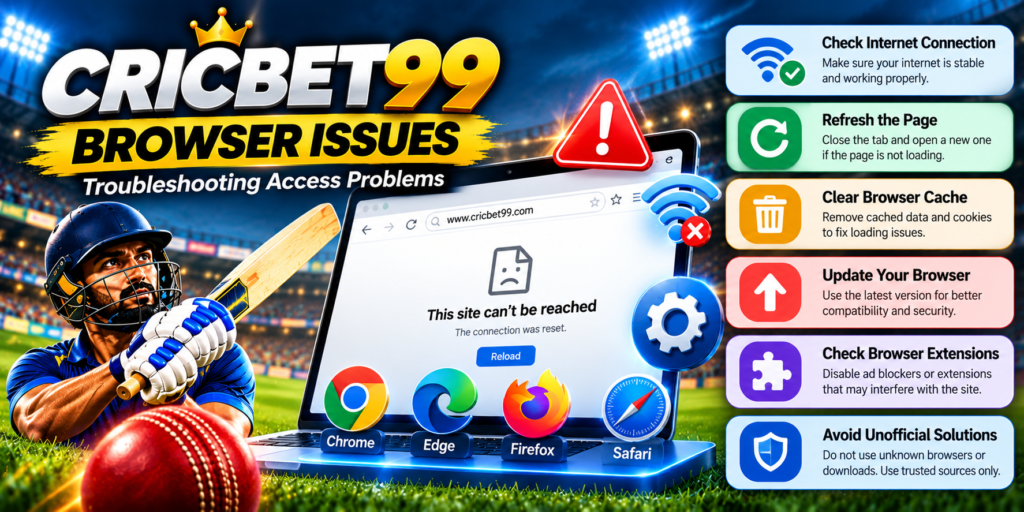
Here is the SEO-optimized article with a meta title, meta description, primary keyword, and FAQs.
Primary keyword: Cricbet99 browser
Secondary keywords: Cricbet99 browser issues, Cricbet99 website not loading, browser troubleshooting, login page errors, browser cache and cookies
Meta title: Cricbet99 Browser Issues: Troubleshooting Access Problems
Meta description: Learn how to troubleshoot Cricbet99 browser issues, including loading errors, cached data, outdated browsers, extensions, and common login page problems.
Cricbet99 Browser Issues: Troubleshooting Access Problems
Browser problems can sometimes make an online account appear inaccessible even when the account itself is working normally. Slow loading, blank pages, login errors, outdated software, cached information, and browser extensions can all interfere with website functionality.
If you are experiencing Cricbet99 browser problems, start with basic troubleshooting before assuming that your account has been restricted. The following steps explain common causes and practical ways to identify them safely.
1. Check Your Internet Connection
A stable internet connection is essential for loading websites and submitting login requests. Open another trusted website to determine whether the problem affects your entire connection or only one particular service.
If several websites are slow or unavailable, the issue may be related to Wi-Fi, mobile data, your router, or your internet service provider.
Once the connection is stable, check whether the original problem persists.
2. Refresh the Page
Temporary loading errors can sometimes be resolved by refreshing the page. If the website remains unresponsive, close the tab and open a new one.
Avoid repeatedly submitting login information when a page appears frozen. The original request may still be processing, and repeated attempts could create additional login or verification problems.
3. Clear Browser Cache and Cookies
Browsers store temporary files to improve website loading speed. Occasionally, outdated or corrupted cached information can interfere with page display and functionality.
Clearing cached data may help resolve certain loading problems. Cookies can also affect sessions and account authentication.
Before clearing cookies, remember that you may be signed out of websites. Make sure you can securely access your other accounts before proceeding.
4. Update Your Browser
An outdated browser may not work correctly with newer website technologies or security features. Install updates from the browser’s legitimate source and ensure your operating system receives appropriate security updates.
Modern, supported browsers generally provide better compatibility and security than outdated versions.
5. Check Browser Extensions
Privacy tools, ad blockers, script-blocking extensions, and other add-ons can sometimes interfere with website functionality.
To investigate, test the page in a clean browser profile or private browsing window, where appropriate. Private browsing does not guarantee anonymity or eliminate every technical issue.
Avoid disabling essential security protections simply to access a website. If an extension appears responsible, review its settings and use only changes you understand and consider safe.
6. Check Cookies and Session Errors
Some websites use cookies to maintain an authenticated session. If cookies are blocked, removed, or incorrectly configured, a login page may repeatedly refresh or return to the sign-in screen.
Review your browser’s cookie settings and follow the website’s legitimate guidance. A session-expired message may simply mean that authentication needs to be completed again.
7. Consider Temporary Website Problems
Sometimes the browser is functioning correctly, but the website itself is experiencing maintenance, server errors, or other technical difficulties.
If other websites work normally and the same page fails across multiple supported browsers, the issue may be service-side.
In that situation, check legitimate service announcements or contact official support if available. Repeatedly changing device settings may not solve a server-side problem.
8. Avoid Unofficial Browser Solutions
Be cautious of downloads, extensions, and websites claiming to provide special login tools or guaranteed access. Unverified software can contain malicious components or collect sensitive information.
Use reputable browsers obtained from legitimate sources. Do not provide passwords, OTPs, UPI PINs, or banking credentials to anyone offering unofficial technical assistance.
Frequently Asked Questions
1. Why is Cricbet99 not loading in my browser?
Possible causes include connectivity problems, cached data, outdated software, extensions, temporary website errors, or server-side issues.
2. Can clearing cache help fix browser problems?
Yes. Removing outdated cached files can sometimes resolve loading or display issues. Clearing cookies may also sign you out of websites.
3. Should I update my browser?
Yes. Updates improve compatibility and can address security vulnerabilities.
4. Can browser extensions cause login problems?
Yes. Some extensions can interfere with scripts, cookies, or page functionality.
5. Why does the login page keep refreshing?
Possible causes include cookie settings, expired sessions, browser extensions, unstable connectivity, or temporary website problems.
6. Should I download a special browser to access the website?
Avoid unknown or unofficial browser software. Use a reputable, regularly updated browser instead.
7. What if troubleshooting does not resolve the issue?
Record the exact error message and contact the service through its legitimate support channel, where available. Never share confidential credentials during troubleshooting.